Loan payoff calculator for Excel and Sheets.
A free spreadsheet that compares your loan on regular payments with the same loan plus extra monthly payments and a lump sum: months saved, interest saved, and both schedules month by month.
Debtless loan payoff calculator
Calculator sheet with inputs and a results comparison, a 480-month Schedule sheet with both timelines, and a how-to. Works for mortgages, car, personal and student loans.
Set up in a minute.
- [ 01 ]
Open it
Excel: double-click. Google Sheets: drag into Drive and open with Sheets, or File, Import. - [ 02 ]
Fill the lavender cells
Balance, APR, months left, extra per month, and any lump sum. The regular payment is computed for you. - [ 03 ]
Read the results
Months to payoff and total interest for both timelines, plus the saving and the months sooner. - [ 04 ]
Check the Schedule
Every month for both versions of the loan, with the payoff date in the last column.
Prefer the browser?
The loan payoff calculator does the same comparison online with a chart, and the mortgage and car loan versions come with matching defaults.
Keep going.
Any loan: how soon you're done with extra payments or a lump sum.
What extra principal does to a 30-year loan, in years and dollars.
Pay the car off early and see the interest you skip.
Excel and Google Sheets template with a month-by-month schedule.
The same plan, kept for you.
Debtless does this math from the payments you log and moves the date every month. 7-day free trial on iPhone.


One card, one number, one day you hit zero.
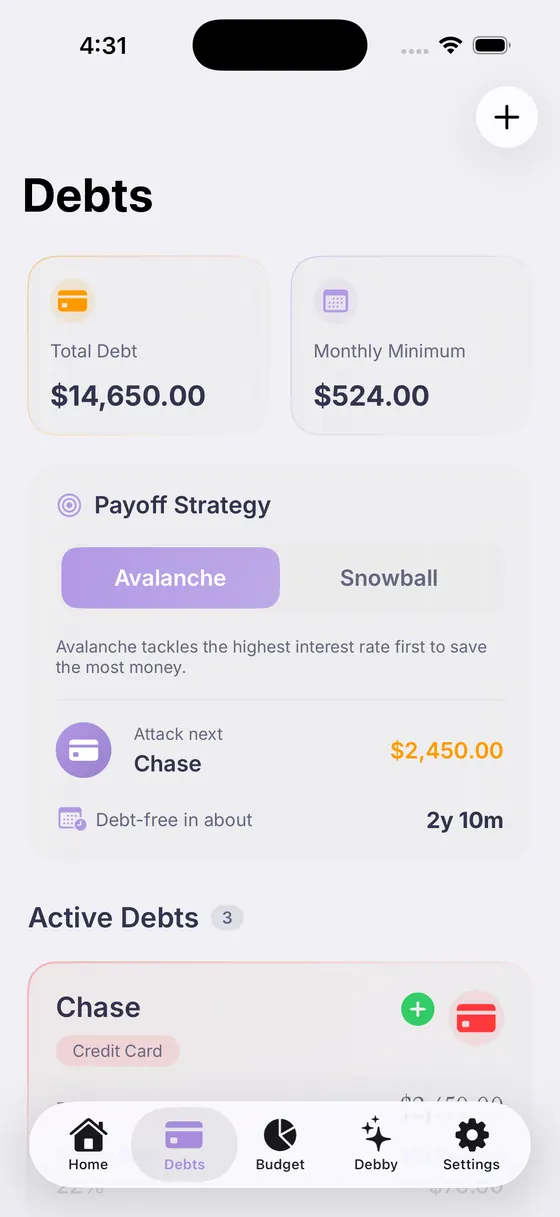
Pick the order, see the date move, switch any time.

Answers with your real balances, rates and budget.
Questions, answered.

Your debt‑free date is closer than you think.
Add your debts, pick a strategy, and watch the date move.
Free download · 7-day free trial