Debt avalanche spreadsheet.
A free Excel and Google Sheets template that orders your debts by interest rate, highest first, and shows the month-by-month schedule that costs the least.
Debtless debt avalanche spreadsheet
Plan sheet ordered by highest APR, a 240-month schedule with automatic rollover, a payment log and a how-to. Six debt slots.
The order.
| # | Debt | Balance | APR | Minimum | Payoff order |
|---|---|---|---|---|---|
| 1 | Store card | $1,200.00 | 19.99% | $45.00 | 2 |
| 2 | Credit card | $6,400.00 | 26.99% | $190.00 | 1 |
| 3 | Car loan | $9,800.00 | 7.50% | $290.00 | 3 |
| Totals | $17,400.00 | $525.00 |
With the example debts the 26.99% credit card jumps to the front even though the store card is smaller. That is the avalanche.
Using it month to month.
- [ 01 ]
Enter your debts
Replace the lavender example cells. Check the APR on each statement; the order depends on it. - [ 02 ]
Set your extra
Everything above the minimums. The higher the extra, the more the rate ordering saves. - [ 03 ]
Follow the Schedule
Each row is a month. The extra lands on the highest-rate debt until it is gone, then rolls to the next. - [ 04 ]
Refresh balances monthly
Overwrite the Plan balances from your statements. The date at the top of the Schedule sheet updates.
Compare first.
Not sure the avalanche is right for you? The snowball vs avalanche calculator shows the exact difference for your debts before you commit to a file.
Keep going.
Highest interest rate first. The order that costs the least.
The snowball version of the template, ordered by balance.
Run both orders on your debts and see the difference in dollars and months.
Excel and Google Sheets template with a month-by-month schedule.
The same plan, kept for you.
Debtless does this math from the payments you log and moves the date every month. 7-day free trial on iPhone.


One card, one number, one day you hit zero.
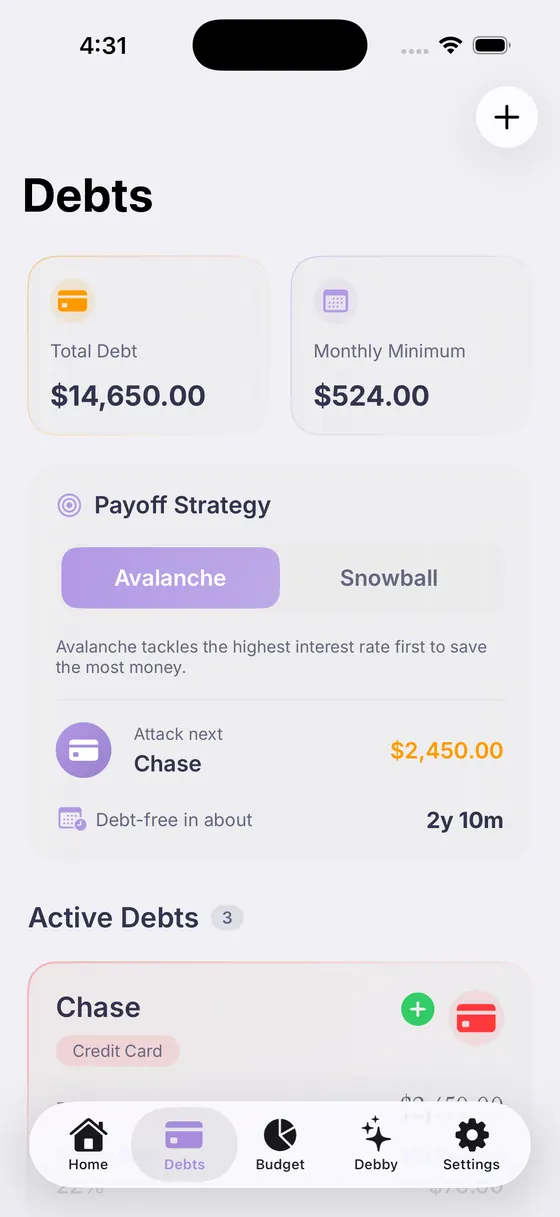
Pick the order, see the date move, switch any time.

Answers with your real balances, rates and budget.
Questions, answered.

Your debt‑free date is closer than you think.
Add your debts, pick a strategy, and watch the date move.
Free download · 7-day free trial